

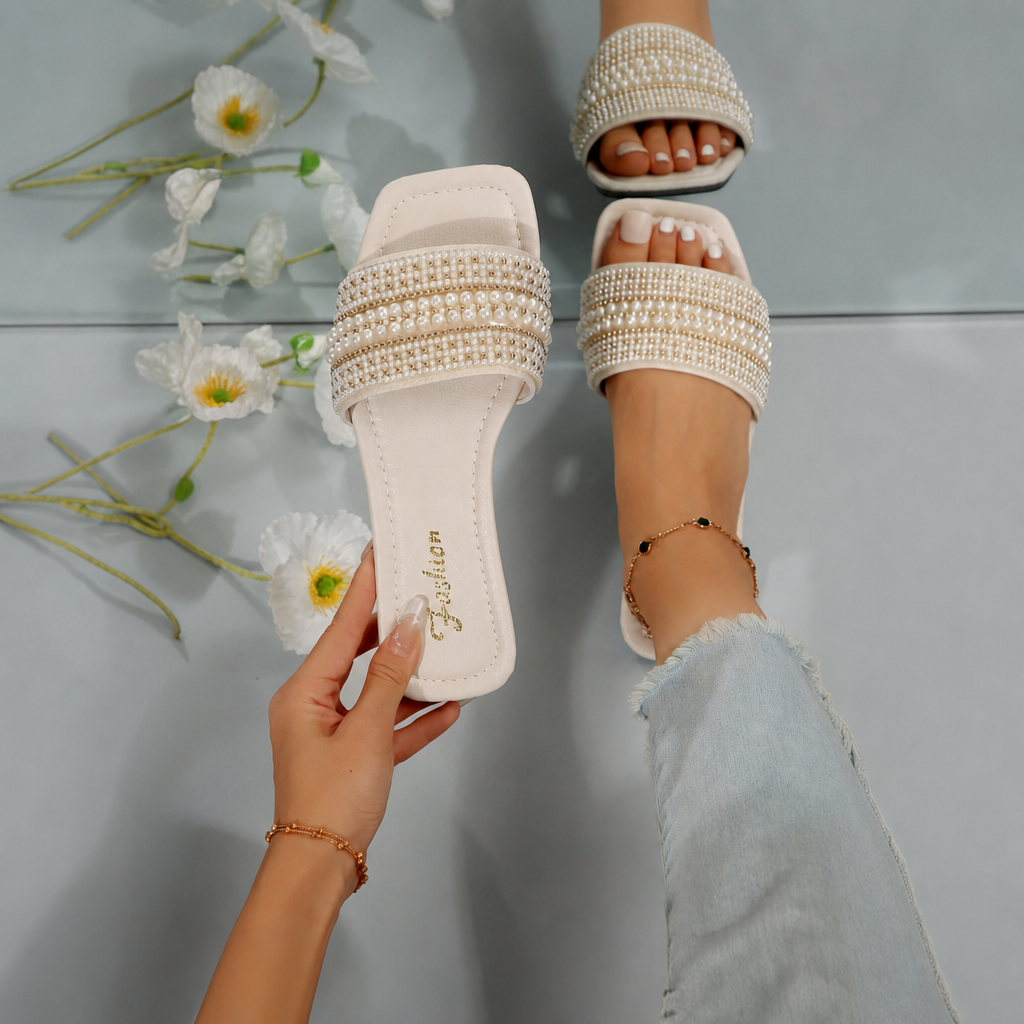
Photograph both pearl slide sandals from the top and front before the first wear. The pictures create a visual baseline for the rows of small pearl- and rhinestone-style details, which are the feature most likely to be difficult to remember later.
What should the baseline show?
Place the unworn pair together in bright, even light. Take one image directly above the sandals, one from the front edge and one close view of each strap. Keep the photographs at normal scale as well as close-up so the detail remains connected to the correct left or right sandal.
Use the photos to record what actually arrived. Do not decide that every row must contain a fixed number of pieces from the styled product photograph alone; angle and overlap can hide details.
Compare the pair without forcing symmetry
- Set the heels level and point both toes in the same direction.
- Compare the number and position of decorated rows.
- Look at each strap from the same angle.
- Record any visible difference in a note tied to the photograph.
The goal is documentation, not a repair test. Do not pull, twist or scrape a decorative element just to see whether it moves.
Keep the order options in a separate note
The current color menu lists Beige, Purple, Black, Charcoal, Ivory and Golden. The size menu lists 6, 6.5, 7, 7.5, 8, 9, 9.5 and 10. Save the exact color and size labels from the order confirmation beside the baseline images.
The featured photo has a light cream appearance, but the available evidence does not map that photograph to one exact color label. Beige and Ivory should remain separate choices rather than being treated as interchangeable names.
What does the product image establish?
It establishes the visible slide shape, square toe and multi-row decorated strap of the photographed pair. It does not establish fit, traction, long-term wear or the exact appearance of every color option.
Open the Pearl And Rhinestone Embellished Square Style Sandals For Women page to confirm the current color and size before saving the baseline.